CodStars Product
TV Remote for Samsung Smart TV
Samsung TV remote over WiFi Bluetooth or IR: touchpad, keyboard, voice and apps.
Android
Inside the product
Screenshots
Scroll to explore. Select any screenshot for a larger view.
Product overview
About This App
Lost your Samsung TV remote, or tired of hunting for it? Turn your phone into a full TV remote for Samsung Smart TV in seconds, with no account and no sign-up.
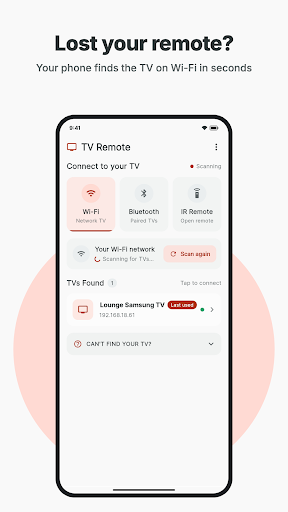
TV Remote for Samsung finds your TV on your Wi-Fi network by itself and gives you a complete remote control: 33 keys, a touchpad, a keyboard, voice commands and one-tap app shortcuts. No Wi-Fi? Use Bluetooth or IR instead. Every remote feature works without paying.
★ A COMPLETE SAMSUNG TV REMOTE
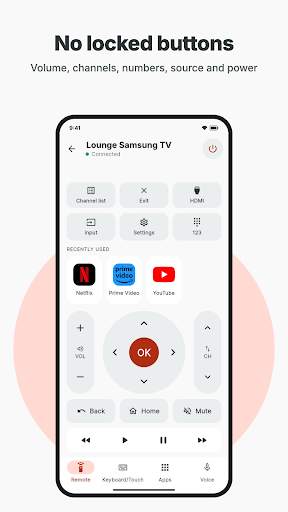
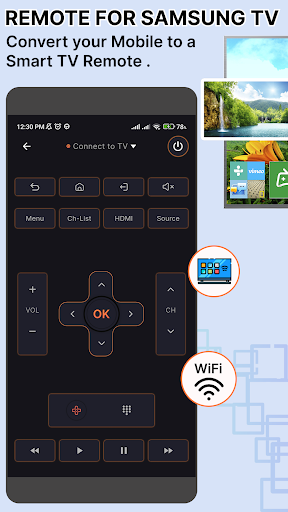
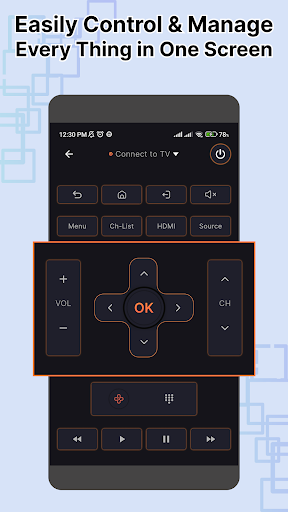
📺 Power, volume, mute, channels and channel list
🎯 Arrow pad, OK, back, home, menu and exit
🔢 Number pad 0–9 to jump straight to a channel
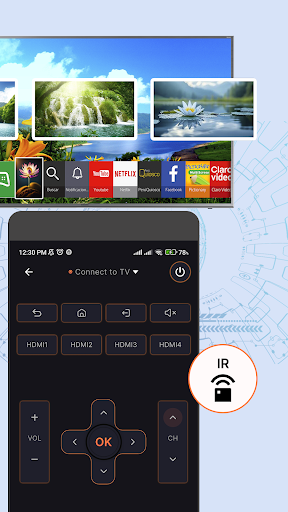
🔌 Source and HDMI input switching
⏯️ Play, pause, rewind and fast forward
👍 Large buttons placed where your thumb rests
★ CONNECTS FAST AND STAYS CONNECTED
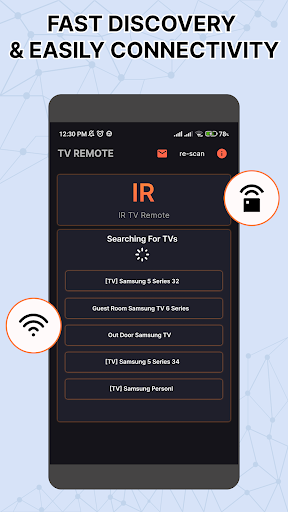
🔎 Scans your Wi-Fi and lists every Samsung Smart TV it finds
⚡ Remembers your last used TV and reconnects on its own
🔆 Turns the TV on from your phone over Wi-Fi after the first connection
🧭 Built-in troubleshooting when the TV is not found
★ TOUCHPAD AND KEYBOARD
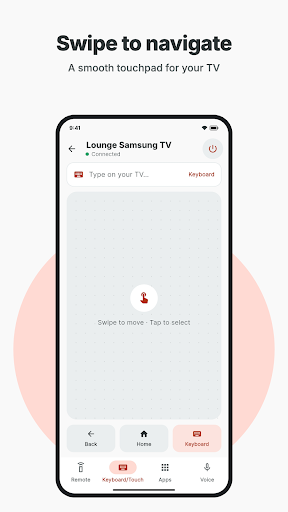
👆 Swipe to move and tap to select, like a laptop touchpad
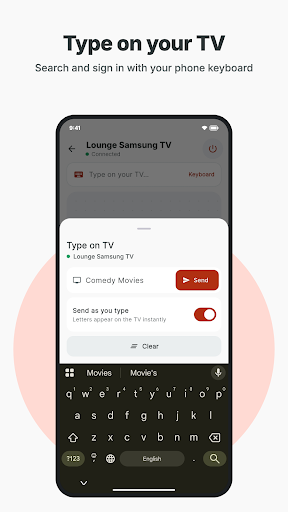
⌨️ Type with your phone keyboard: searches, emails and passwords
✍️ "Send as you type" puts each letter on the screen instantly
★ VOICE CONTROL ON YOUR PHONE
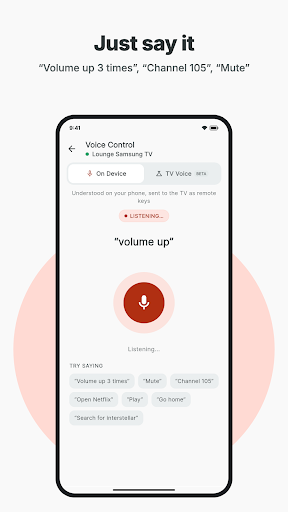
Tap the mic and say what you want. Your words are understood on your phone and sent as normal remote keys.
🎙️ "Volume up 3 times", "Mute", "Louder"
📡 "Channel 105", "Next channel"
▶️ "Open YouTube", "Search comedy movies"
⏸️ "Pause", "Go home", "Turn off"
★ APPS IN ONE TAP
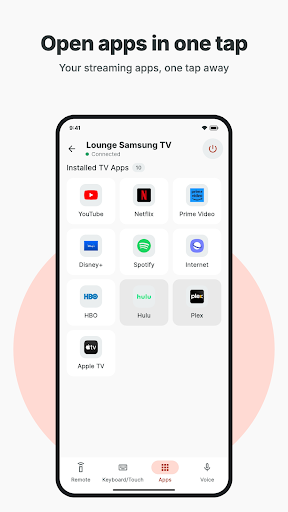
Open 10 popular streaming apps on your TV in a single tap, including YouTube, Netflix and Prime Video, when they are installed.
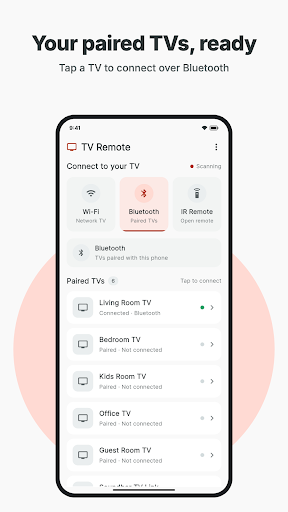
★ BLUETOOTH REMOTE: NO WI-FI NEEDED
Pair your phone with the TV once and control it over Bluetooth, even when the TV is not on your network.
🧭 Arrows, OK, back, home, volume and mute
🖱️ A mouse pointer you move from the touchpad, with scrolling
⌨️ Typing from your phone keyboard
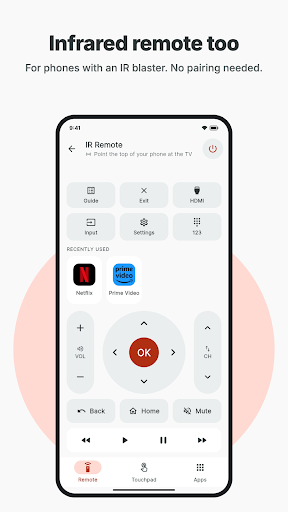
★ IR REMOTE FOR PHONES WITH AN IR BLASTER
The infrared Samsung remote needs no network and no pairing: power, volume, channels, numbers, colour keys, HDMI 1–4, guide and exit.
★ WHO IT IS FOR
Anyone whose Samsung remote is lost, broken or out of batteries. People tired of typing passwords with arrow keys. Owners of QLED, Crystal UHD, OLED and The Frame Smart TVs.
★ HOW TO CONNECT
1. Connect your phone and your Samsung TV to the same Wi-Fi network
2. Open the app and tap your TV in the list
3. Choose "Allow" on the TV screen the first time
4. Start controlling
Bluetooth: pair the TV in your phone's Bluetooth settings, then tap it in the Bluetooth tab.
★ PRO: REMOVE ADS
The app is free to use with ads. Pro removes every ad. No buttons are locked. Weekly, monthly and yearly subscriptions are offered. Billing renews automatically until cancelled, and you can cancel any time in your Google Play subscriptions.
★ GOOD TO KNOW
• Wi-Fi control works with Samsung Smart TVs running Tizen (2016 and newer models). Phone and TV must be on the same network.
• The Bluetooth remote needs Android 12 or newer and a TV that accepts Bluetooth keyboards. It cannot turn the TV on, change channels or switch source; use Wi-Fi or IR for those.
• The IR remote needs a phone with an IR blaster. Most phones do not have one.
• The first connection needs "Allow" on the TV. If you cannot accept it, use the button on the set itself or the IR remote.
• Power-on over Wi-Fi depends on your network standby setting.
• This app controls Samsung TVs only. It does not mirror or cast your screen.
• Voice commands are in English.
TV Remote for Samsung is an independent third-party app. It is not affiliated with, endorsed by or sponsored by Samsung Electronics Co., Ltd. Samsung and Tizen are trademarks of their respective owners and are used only to describe compatibility. Other product and service names belong to their owners.
Install TV Remote for Samsung and control your Samsung Smart TV from your phone today.